The Best Stream Decks for Streaming & VTubing (2026)
Updated July 2026: refreshed our picks for the current hardware generation.
Some might consider stream decks just another gimmick to make money off of streamers. But that claim is debatable as it provides many practical use cases for streamers. As far as VTubing is concerned, if you’ve spent a lot of money on your VTuber expressions, a stream deck is an absolute must!
-> Just in case you don’t want to read any further and just want to know what our top pick is, see the Elgato Stream Deck XL, which we feel is the 🥇 Best overall Stream Deck for VTubers!
As a VTuber, stream decks help you time your VTuber expressions seamlessly with the jokes you make or the emotions you need to show during your streams.
Although there are cheaper solutions, like simply binding your VTuber expressions with the keys on the keyboard or getting a dedicated keypad for quick access to your expression binds, these solutions, more often than not, turn out to be more of a hassle than a real boost to your streams.
Most of the time, you forget what key to press for what expression, ending up mistiming the expression or completely getting the wrong one according to the given situation, making a fool out of yourself on the live streams. A complete nightmare!
Stream deck, on the other hand, offers a unique solution to VTubers as you can assign customized thumbnails of your VTuber expressions to the binds that you’ll use for each expression. That way, you’ll never mess up your timing and always hit the bullseye, as you’ll be able to see what VTuber expression you’ll be getting your VTuber model to make, displayed within your arm’s reach.
This article will help you pick the best stream deck for VTubing and explain why that model is the perfect fit for you! So, without any further ado, let’s take a deep dive into the topic at hand!
Table of contents
- The 5 Best Stream Decks For VTubing
- How To Set Up Elgato Stream Deck Software For VTubing
- Using Stream Deck With VTube Studio
- What Should You Consider When Picking The Best VTuber Stream Deck?
- Wrapping It Up
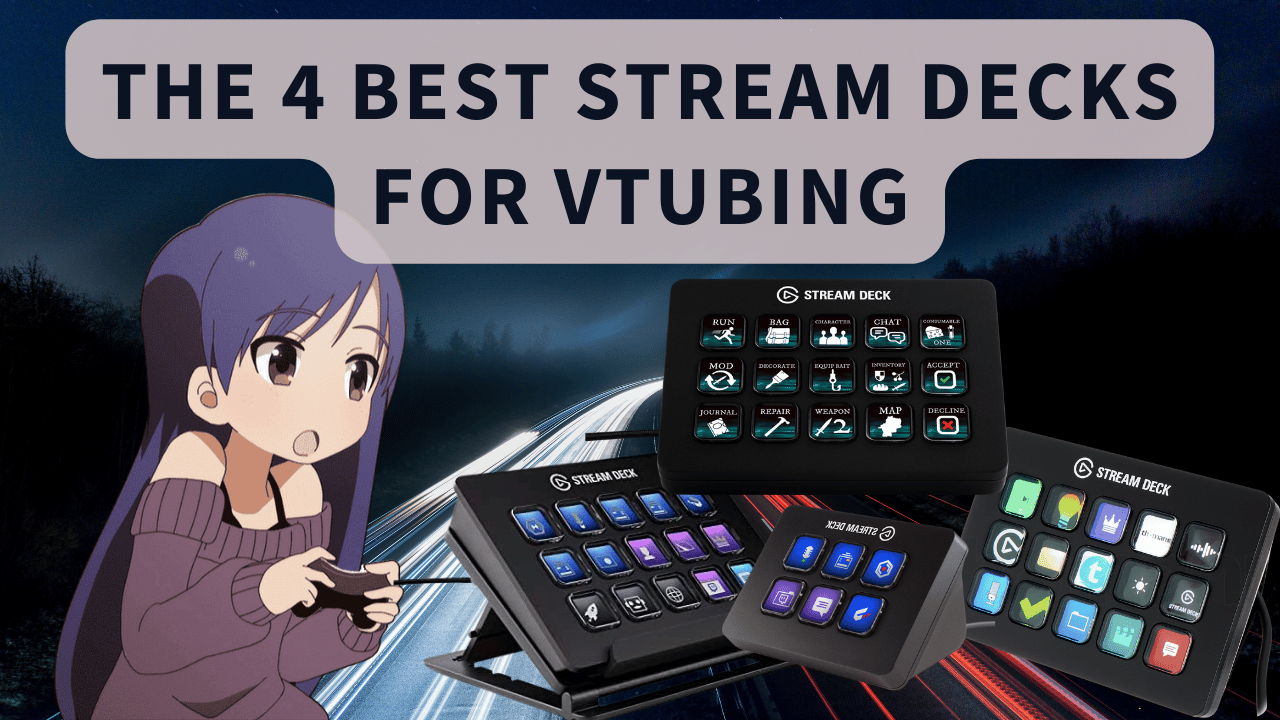
The 5 Best Stream Decks For VTubing
Our Picks
- Elgato Stream Deck XL🥇 Best Overall
- Elgato Stream Deck +🥈 Best With Dials
- Elgato Stream Deck MK.2🥉 Best Bang For Buck
- Elgato Stream Deck Mini🎖️ Best Budget
- Elgato Stream Deck Neo🏅 Best First Stream Deck
Elgato Stream Deck XL: The Best Stream Deck For VTubers
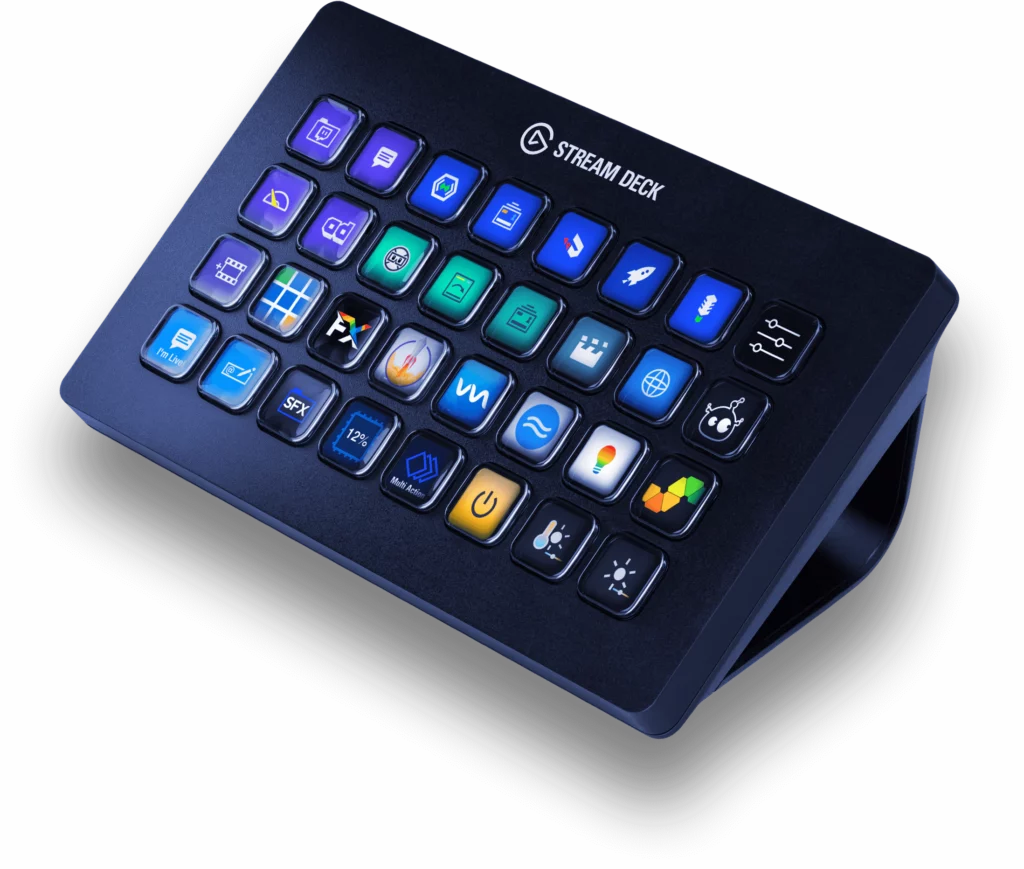
If, as a VTuber, you’ve got tons of expressions, emotes, and overlays that you want to use with the push of a button, Elgato Stream Deck XL is the best choice for you. Although it takes a lot of premium real estate on your desk with its 7.2 x 4.4 x 1.3 inches (4 inches tall with the base attached) dimensions and has a pretty minimal design, it makes up for it with its functionality. It has got staggering 32 keys in an 8×4 layout.
Elgato Stream Deck’s base has got rubber feet that would hold it in place even if you apply a little force to it. The braided USB 3.0 cable ensures that the screens behind the buttons have smooth playback. Braided cable means you won’t have to worry about it being tangled or knotted.
The display behind the buttons is vivid, bright, and has great viewing angles, but the button themselves feel a bit mushy.
Elgato Stream Deck’s software has virtually limitless customization options. You can assign them customized icon images and functions. VTubers and streamers can assign application shortcuts, expressions, emotes, voice effects, and background music to these buttons.
The Elgato Deck XL felt absolutely lag-free in my experience with it. I created folders in its software for organizing my streams better. The folders help you store a bunch of functions, making them easy to access.
The 32 keys Sream Deck also helped us a lot with video editing, as we were able to assign multiple functions to keys and didn’t have to memorize them while streaming and editing videos. For games like flight simulator, this stream deck is a great option as it makes you feel like a real pilot with all those buttons on the deck.
Overall, Elgato Deck XL is the best Stream Deck for streamers and VTubers!
Why Do We Like The Elgato Stream Deck XL For VTubers & Streamers?
Usually, VTubers have tons of expressions and animations that they need to use during their streams. Remembering them all on a keyboard is almost humanly impossible. Elgato Stream Deck XL is the only option with 32 keys, which can be assigned to your voice effects, launching software, editing videos, expressions, animations, and a lot more.
Moreover, for streamers, Elgato Stream Deck XL presents a unique option where they can apply effects to their streams, like the animations, visual and audio effects, etc. You won’t even have to remember the keys! Whenever you feel like the moment is right, the effects will be available to you with the push of a button.
Elgato Stream Deck +: The Best Stream Deck With Dials
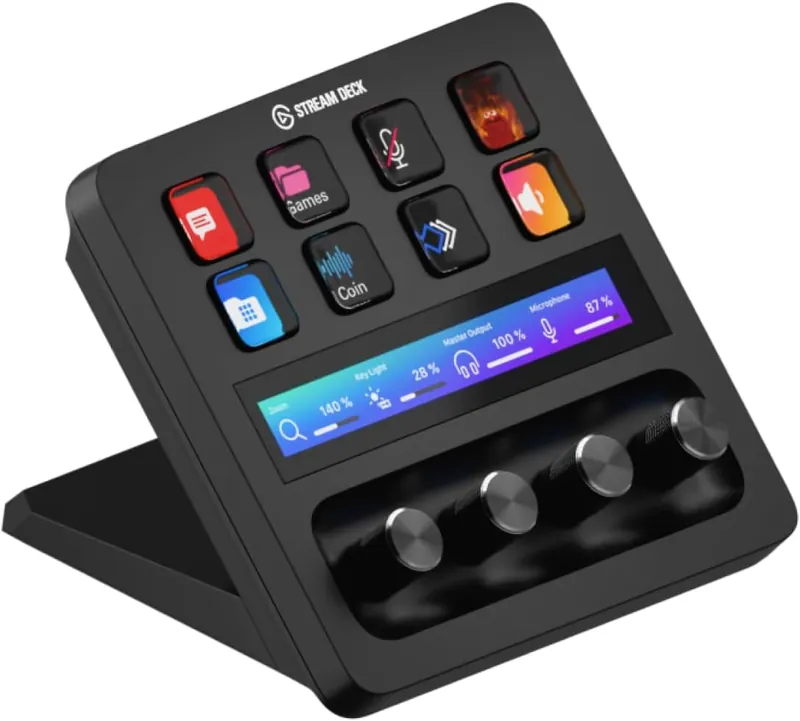
Quick heads-up before we get into it: the Razer Stream Controller used to sit in this spot, and the hardware is still on sale. But Loupedeck, the company behind its software, officially ended support for it in May 2026, which leaves owners stuck on a frozen legacy app. We can’t recommend a control surface whose software is abandoned, so the Elgato Stream Deck + takes over this slot, and honestly, it earns it on its own merits.
The Stream Deck + gives you 8 LCD keys in a 4×2 layout, four clickable dials, and a touch strip that shows you exactly what each dial is controlling. At $179.99 it sits between the MK.2 and the XL in Elgato’s lineup, and it’s the only current Stream Deck that gives you physical knobs to twist.
Those dials are the whole reason to buy this thing. Pair them with Elgato’s free Wave Link software and you’ve got a proper audio mixer on your desk: mic volume on one knob, game audio on another, music and browser sources on the rest. Mid-stream, you can duck your background music the second your donation alert fires, without ever alt-tabbing out of your game.
The build feels every bit as solid as the rest of Elgato’s decks. The keys have that same satisfying press, the dials click in for an extra function per knob, and the touch strip responds instantly with swipes and taps. It also uses a detachable USB-C cable, so cable management stays clean.
And because it runs the exact same Stream Deck app as the XL, MK.2, Mini, and Neo, every plugin we talk about in this article works here too, including the VTube Studio plugin for your expressions. That software is still getting regular updates in 2026, which is exactly what the old Razer pick lost.
One more thing for the big spenders: Elgato now also sells a Stream Deck + XL with 36 keys and 6 dials as a premium tier above this one. It’s overkill for most VTubers, and the regular + remains the smarter buy, but it’s nice to know a bigger dial deck exists if you ever outgrow this one.
Why Do We Like The Elgato Stream Deck + For VTubers & Streamers?
For VTubers, the Stream Deck + is the best of both worlds: your 8 most-used expressions live on the LCD keys with custom thumbnails, while the dials handle everything audio. Muting your mic for a sneeze, riding your game volume during a jump scare, or fading your BGM for a serious moment all happen with a quick twist instead of fumbling through OBS menus on stream.
And since it’s a first-party Elgato device, you get the full Stream Deck plugin store: OBS Studio, Streamlabs, Twitch, VTube Studio, sound effects, and thousands of icons, all with software that Elgato actively maintains. That long-term support is exactly why this pick replaced the Razer in our 2026 refresh.
Elgato Stream Deck MK.2: Best Bang For Buck
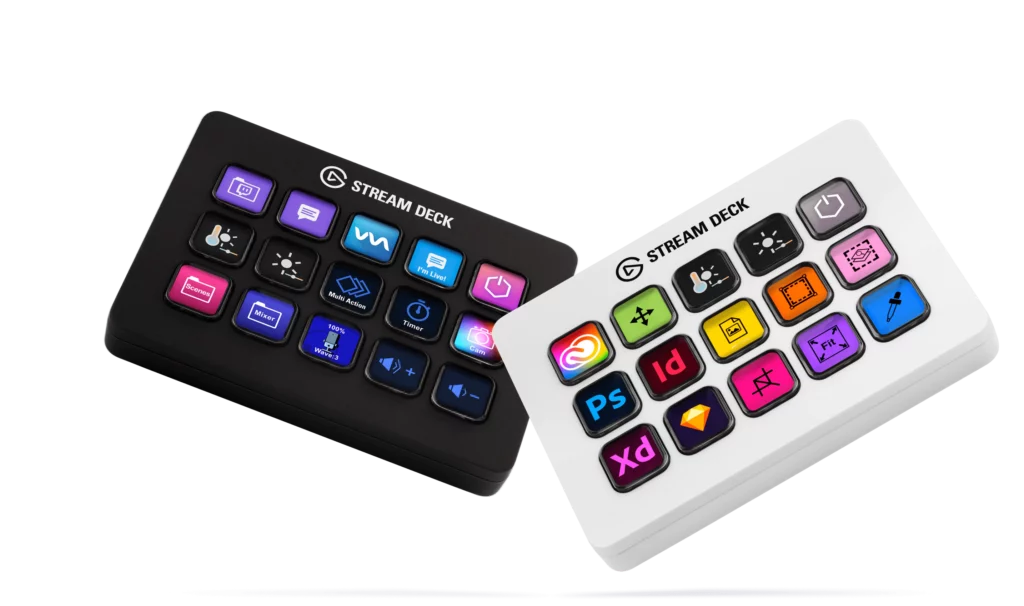
The Elgato Stream Deck MK.2 is probably the most popular streaming deck in VTubing and streaming communities. And rightfully so, as it offers the best price-to-performance ratio out there. The Elgato Stream Deck MK.2 has a 15-key layout, reducing its form factor significantly. Its dimensions are 4.6 x 3.3 x 10 inches (with its magnetic stand attached).
With a reduced number of keys compared to the Elgato Stream Deck XL, it’s easy for VTubers and streamers to remember where the function key is that they need to press without looking at the streaming deck.
The Elgato Stream Deck MK.2 comes with a meter-long detachable USB-C cable. That means it’s really easy for you to have a clean-looking table with cable management. The stand on this deck is also solid, with a hefty weight to it. It won’t slip on your table when pressing its tactile keys, which require a little force to push.
The Stream Deck app works the same for all Elgato Stream Decks. There will be no difference in software functionality whether you choose the most expensive or cheapest model Elgato offers.
What Elgato Stream Decks lacks compared to its rival, the Razer Stream Controller, are the knobs. The audio dials on the Razer Stream Controller give it an edge over the Elgato Stream Decks as they allow it to be a full-fledged soundboard. However, the Elgato Stream Deck MK.2 makes up for it by offering simple yet effective software.
Why Do We Like The Elgato Stream Deck MK.2 For VTubers & Streamers?
The Elgato Stream Deck MK.2 offers all the functionality of its more premium big brother, the Elgato Stream Deck XL, in a smaller form factor.
VTubers or Streamers that don’t need the crazy number of shortcut keys at their fingertips should go with this model instead of the XL one. It’s easier to remember your assigned functions’ positions. And it maintains the perfect balance between size and functionality.
Elgato Stream Deck Mini: Best Budget
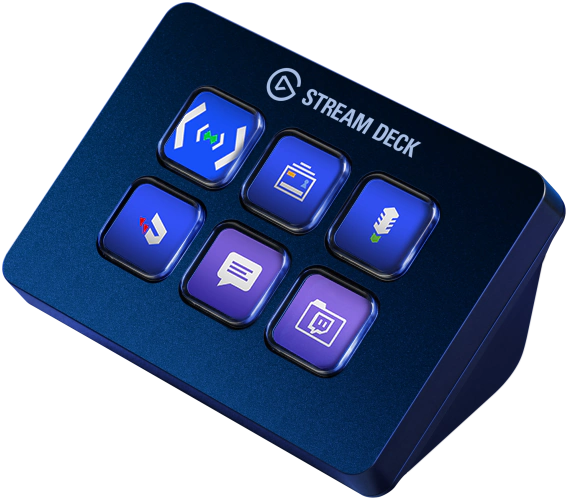
If, as a VTuber or streamer, you are on a tight budget or you simply don’t have a plethora of functions that you need shortcuts for, Elgato Stream Deck Mini comes in as a great option. Its small form factor is a plus for minimalist streamers, as its dimensions are only 2.4 x 2.3 x 3.3 inches. It’s almost the same size as a deck of cards. So, if you like things tidy on your table, this deck is the right choice for you.
Although it’s got only six keys in a 3×2 layout, it does appeal to VTubers and streamers. That’s because it’s a great choice for a beginner in streaming and VTubing. After all, it’s not too expensive, and beginners usually don’t have a lot of expressions, animations, and effects they want to use during their streams.
That’s why they can test the waters with it to check whether streaming decks are their thing. It works the same way as the other Elgato options in this article. The only difference is the reduced number of buttons, while the software and functionality are the same.
Why Do We Like The Stream Deck Mini For VTubers & Streamers?
The VTubers and streamers that don’t want to break the bank for a streaming deck should go for the Elgato Stream Deck Mini. It offers all the functionality Elgato’s standard 15-key, and high-end 32-key options provide.
If you don’t have a lot of expressions, voice effects, or scenes to switch during streaming, this machine is an excellent choice.
Elgato Stream Deck Neo: Best First Stream Deck
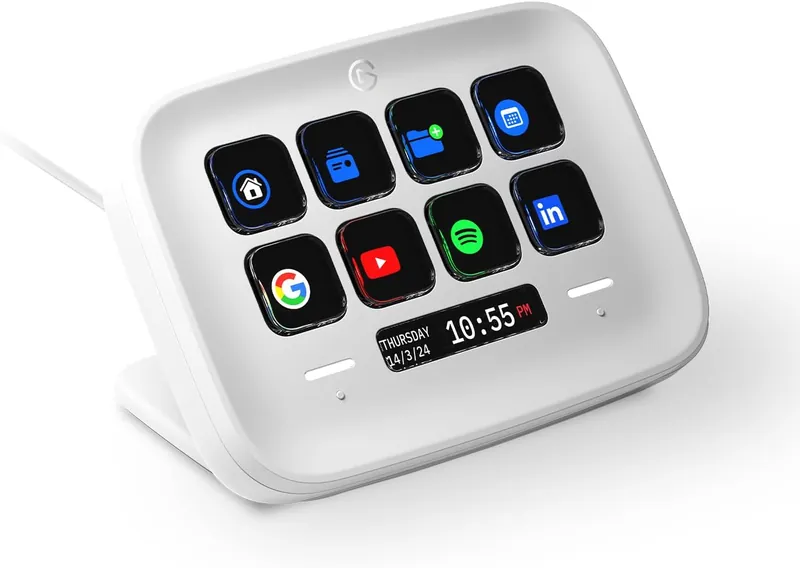
New for our 2026 refresh! The Stream Deck Neo came out after we first wrote this guide, and it fills the exact gap we used to have in the lineup: the jump from the 6-key Mini straight to the 15-key MK.2. The Neo lands right in the middle with 8 LCD keys in a 4×2 layout for around $79.99 and we think it’s the perfect first stream deck for a new VTuber.
You get the same customizable LCD keys as the big decks, so your expression thumbnails look just as crisp here as they do on the XL. Below the keys sits a little info bar that can show the time and date, plus two touch points on either side of it for flipping between pages of keys. That page-flipping makes the Neo feel bigger than 8 keys once you get your profiles organized.
And because it runs the same Stream Deck app as every other Elgato deck in this article, the whole setup guide below works for the Neo too: VTube Studio expressions, OBS scene switches, sound effects, all of it. If you outgrow it, your profiles come with you to a MK.2 or XL.
Why Do We Like The Stream Deck Neo For VTubers & Streamers?
Most beginner VTubers have more than six expressions but nowhere near enough binds to justify a 15-key deck on day one. The Neo’s 8 keys plus page flipping cover that stage of your career perfectly, and at $79.99 it costs barely more than the Mini while feeling like a much more grown-up device on your desk.
It’s the deck we now recommend when someone asks us “what’s the cheapest stream deck I won’t outgrow in a month?” The Mini is still the pick if every dollar counts, but the Neo is the smarter buy for most people starting out.
How To Set Up Elgato Stream Deck Software For VTubing
The best thing about Elgato Stream Decks is their software. The amount of customization you can do with the buttons is insane. If, as a streamer, you want to keep it simple, just install the software. Then, start dragging the actions that you want to perform during your streams from the default library onto the main screen of the software. This library already includes things like StreamLabs OBS, OBS Studio, Twitch Studio, and more.
You can also create new pages and new profiles that you can load when an exe file is detected. You can also create folders to keep things more organized for your streams.
Setting up Elgato’s App
For VTubers, you can head over to the Elgato’s app store, and from here you can explore tons of different options to download plugins like sound effects, icons, hue control, etc. For expressions, you need to pin your streaming software, like 3Tene, for example, in the task bar. An important thing to remember here is that you need to memorize the position at which you pinned the 3Tene software. For example, if it’s the first software that appears on your task bar, then you’ll need to remember the number “1.”
Then drag the “Multi Action” function from the library onto your main screen. Once you have the multi-action setting set up, you need to drag the hot key option and drop it in the multi-action screen. Then, head on over to the drop-down menu named “Hot Key” in the multi-key option. Click it, and when it says “observing keystrokes,” press Windows + the position of your pinned streaming software (in this case, 1).
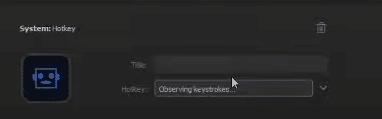
Setting up 3Tene
Then open up the 3Tene software and load up your expressions and animations there.
Then go to change the “facial expressions of the Avatar” and then click on the “open shortcut.” Select the expression you want to access through a physical button on your deck.
Assign a button from your keyboard to that expression (preferably from the num pad). In this case, I assigned “2” to it. Once you’ve done that, head back to Elgato’s app and copy and paste the multi-key function to another slot. Now change the hotkey in the new muli-key function from “Windows + 1” to “2.”
Performing Expressions
Now you can open up your 3Tene and perform an expression by just pushing two buttons from your streaming deck. An important thing to remember here is that you’d need two monitors if you don’t want your audience to see 3Tene open up every time your VTuber model performs an expression.
Here’s a great video that’ll show you how the whole process is done in detail:
Using Stream Deck With VTube Studio
To use Stream Deck with VTube Studio, follow these steps:
- Unbox your Stream Deck and download the necessary software from the Elgato website. Go to the Elgato website and select your Stream Deck model. Download the appropriate software for your operating system (Windows, macOS, etc.).
- Install the Stream Deck software by following the prompts and instructions provided during the installation process.
- Once installed, launch the Stream Deck software. You will see a welcome page, but you can skip it by deleting it.
- Click on the “Stream Deck” tab in the software’s interface and select “Multi Action” (not “Multi-action Switch”).
- To set up a hotkey for VTube Studio, click the “+” button to add a new action. Choose “Hotkey” from the available options.
- Before adding the hotkey, you can differentiate left and right modifiers (e.g., left control and right control) by clicking the modifier button and selecting the appropriate key. This allows you to use them separately.
- Add the desired hotkey by pressing the corresponding keys on your keyboard. For example, you can assign expressions to right control + number pad keys (e.g., right control + 1 for an angry expression, right control + 2 for a happy expression, etc.).
- Test the setup by pressing the assigned hotkey combination on the Stream Deck. You should see the corresponding expression change in VTube Studio.
- You can customize your Stream Deck by adding icons or images to represent different expressions or actions. To do this, click the “+” button in the Stream Deck software and select the desired image or icon.
- Additionally, you can use the Stream Deck to switch between different programs or windows. Arrange your frequently used programs in your taskbar in a specific order (e.g., OBS, Streamlabs Bot, VTube Studio).
- Assign each program to a number key on your Stream Deck by creating a new hotkey action in the Stream Deck software. For example, you can assign OBS to Windows + 1, Streamlabs Bot to Windows + 2, etc.
- Test the program switching by pressing the assigned number key on the Stream Deck. It should bring the corresponding program to the front.
What Should You Consider When Picking The Best VTuber Stream Deck?
When you’re scouting for the sickest VTuber stream deck, you’ve got to consider a few key factors:
- Customizability: Your VTuber stream deck should give you the power to slap your own customized thumbnails or icons representing your VTuber expressions onto each button. That way, you can easily spot and tap into the perfect expressions while you’re going live and slayin’ it.
- Layout and Key Quantity: The layout and number of keys are major leagues. The Elgato Stream Deck XL brings the heat with its 8×4 layout and whopping 32 keys. It’s got space for all your expressions, emotes, and overlays. But if you’re looking for something smaller or budget-friendly, the Elgato Stream Deck MK.2 or the Elgato Stream Deck Mini got your back with their compact layouts and fewer keys.
- Software Customization: The software running the show on your stream deck better be hella customizable. You want to be able to assign custom icons, functions, and shortcuts to those buttons. That way, you can keep your streams organized, create folders to organize your swag, and access your functions like lightning.
- Performance and Display: Lag-free performance is clutch, and you want a stream deck with a bright, vibrant display and sweet viewing angles. That’s how you keep the operation smooth and make sure those icons or thumbnails pop like fire.
- Build Quality and Design: Don’t sleep on the build quality and design, my friend. You want a VTuber stream deck that’s solid with rubber feet and a stable design, so it stays put while you’re slinging those expressions. And let’s be real, a sleek and visually fly design can bring mad swag to your streaming setup.
Taking all that into account, the Elgato Stream Deck XL is the ultimate choice for VTubers. It’s got mad keys, customizable software, a sleek design, and performance you can trust. But if you’re hunting for other options, peep the Elgato Stream Deck +, Elgato Stream Deck MK.2, or Elgato Stream Deck Mini. They all offer killer functionality at different price points, suiting different needs and budgets.
Wrapping It Up
I hope that you were able to pick the best streaming deck for VTubers and streamers with the help of this article. All of the Streaming Decks listed here work perfectly, but my favorite one is the Elgato Stream Deck XL because of its sheer number of buttons and the functionality that comes with it.
Good luck with your streaming careers!
The Elgato Stream Deck XL is an absolute must-have for VTubers rocking VTube Studio. Boasting a whopping 32 programmable keys, it grants you the ultimate power to slay your streams. Despite its size taking up prime real estate on your desk, it stays rock-solid with its grippy rubber feet. The vibrant display behind each button adds that extra pop, even if the buttons themselves feel a bit mushy. Lag? Ain’t nobody got time for that! This deck delivers lightning-fast performance, ensuring your expressions, emotes, and overlays are unleashed with swift precision. And with its nifty folder system, organizing your stream madness has never been easier.
To use Stream Deck with VTube Studio:
Start by unboxing and downloading the Stream Deck software from the Elgato website.
Install the software, then launch it.
Skip the welcome page.
In the Stream Deck software, select “Multi Action” and add a hotkey for VTube Studio expressions.
Use modifiers like left and right control keys to differentiate actions.
Assign hotkeys, like right control + number pad keys, for various expressions.
Test the setup by pressing the assigned hotkeys on the Stream Deck.
Customize your Stream Deck with icons or images to represent expressions. You can also use Stream Deck to switch between programs like OBS and Streamlabs Bot.
Assign each program to a specific number key on the Stream Deck.
Test program switching by pressing the corresponding number key.
With Stream Deck, you can control expressions and switch between applications effortlessly, preserving your number pad and avoiding window switching.