The Best Curved Gaming Monitors for Streamers (2026)
Updated July 2026: refreshed our picks for the current hardware generation.
Looking for an immersive experience to make you and your audience enjoy your streams more? Choose one of these seven best-curved gaming monitors for streamers.
As a streamer, having the right gear is the key to providing your viewers with an enjoyable, immersive gaming experience. From high-quality headsets to powerful gaming PCs, having a reliable setup can make all the difference when streaming.
-> Just in case you don’t want to read any further and just want to know what our top pick is, see the Best Overall: Alienware AW3425DW QD-OLED, which we feel is the 🥇 Best Curved Gaming Monitor for Streamers
And a curved display monitor is one of the most important components in any streaming setup and can offer several unique benefits compared to traditional flat-screen monitors.
For starters, a curved gaming monitor offers a much broader field of view. The screen’s curvature helps give you more peripheral vision, making it easier to spot enemies or other important on-screen details during intense gaming sessions.
Not only does this monitor give you better visibility during gaming, but it also helps reduce eyestrain and fatigue over long streaming sessions. Let’s dive into our top-tested picks of the best-curved gaming monitors for streamers in 2026.
Table of contents
- Our Top Picks
- Alienware AW3425DW QD-OLED: The Best Curved Gaming Monitor For Streamers
- The Samsung Odyssey G7 C27G7: The Runner Up
- Acer Predator X34: The Complete Package
- Samsung Odyssey OLED G9 (G95SD): Best Top-tier Monitor
- Dell S3222DGM: Best Budget Curved Gaming Monitor For Streamers
- AOC CU34G2X: The Best Bang For Buck
- MSI MAG 345CQR: The Jack Of All Trades
- MSI MAG 341CQP QD-OLED: The Value OLED Pick
- What To Look For In A Curved Gaming Monitor For Streamers
- Wrapping Up: The Best Curved Gaming Monitors For Streamers
Our Top Picks
- Alienware AW3425DW QD-OLED: The Best Curved Gaming Monitor For Streamers 🥇
- The Samsung Odyssey G7 C27G7: The Runner Up 🥈
- Acer Predator X34: The Complete Package 🥉
- Samsung Odyssey OLED G9 (G95SD): Best Top-tier 🎖️
- Dell S3222DGM: Best Budget 🎖️
- AOC CU34G2X: The Best Bang For Buck 🎖️
- MSI MAG 345CQR: The Jack Of All Trades 🎖️
- MSI MAG 341CQP QD-OLED: The Value OLED Pick 🎖️
Alienware AW3425DW QD-OLED: The Best Curved Gaming Monitor For Streamers
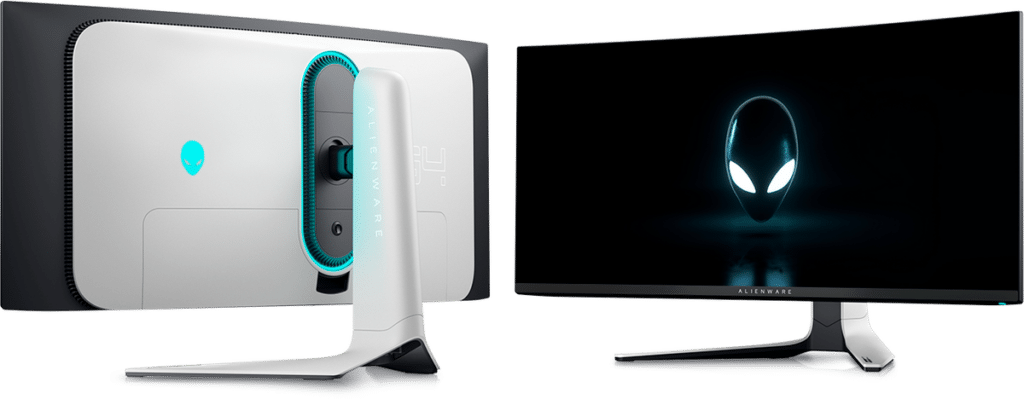
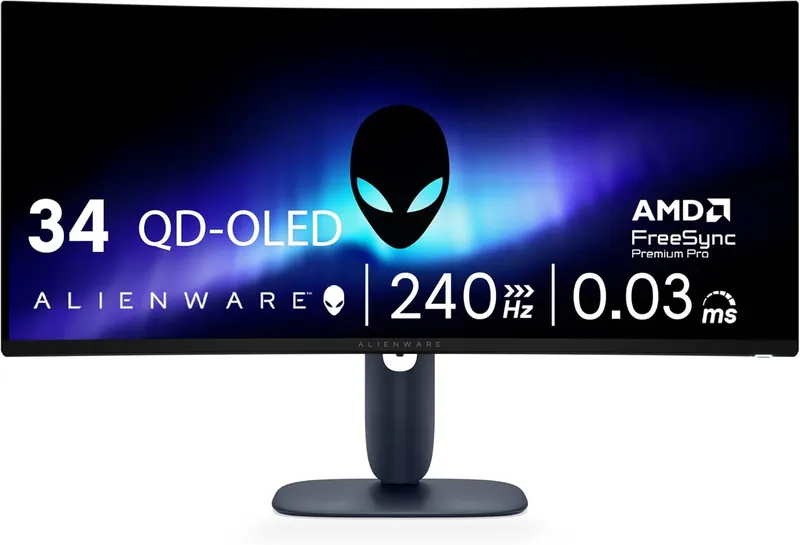
The Alienware AW3425DW is everything we loved about the legendary AW3423DW, but faster. It keeps the same winning formula: a 34.2-inch 3440×1440 QD-OLED panel with an 1800R curve that wraps the game around you and pulls you right into the action.
The big upgrade is speed. Dell bumped the refresh rate from 175Hz all the way up to 240Hz, and the quoted response time is now a ridiculous 0.03ms. Fast-paced shooters feel absurdly smooth on this thing, and your gameplay looks clean on stream too.
Picture quality is exactly what you want from QD-OLED. Blacks are truly black, even in a dark room, and the DisplayHDR True Black 400 certification means HDR highlights pop against those perfect shadows.
The quantum dot layer gives you rich, saturated color across the wide DCI-P3 gamut, so even games with modest art direction look fantastic. And because every pixel lights itself, there is no blooming or backlight glow to distract you or your audience.
At ~$800, and often around ~$650-700 on sale, this is one of the best deals in high-end gaming displays right now. It undercuts what the original AW3423DW launched at while beating it in every category that matters.
If you want one monitor that makes your games, your stream, and your desktop all look incredible, this is the one we would buy for high-end gaming and streaming.
The Samsung Odyssey G7 C27G7: The Runner Up
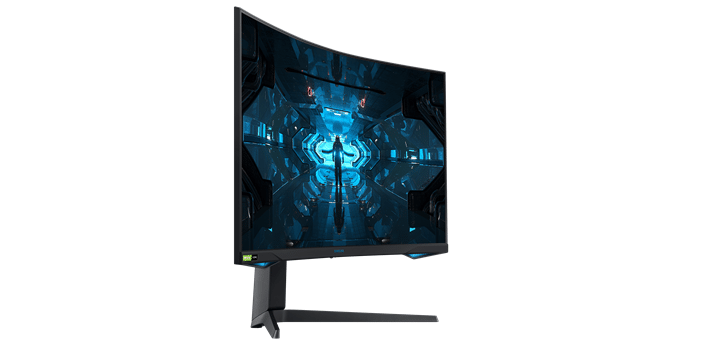
The Samsung Odyssey G7 C27G7 is an excellent choice for a curved gaming monitor for streamers, thanks to its impressive features.
With local dimming, adaptive sync, a high refresh rate, HDR, quantum dot technology, and more, it’s a standout option in the market. The 27-inch display offers a 1440p resolution and a fast 240Hz refresh rate, which strikes the perfect balance between detail and speed.
The VA panel technology used by Samsung has a reputation for slow pixel response and laggy performance, but that’s not the case here. With Samsung’s claimed 1 ms response times, this monitor delivers fast and smooth performance.
Additionally, it matches IPS panels for color accuracy and delivers excellent contrast, making for a compelling package.
The only downside is the comparatively high price tag and slightly disappointing HDR implementation, despite its DisplayHDR 600 certification.
Nevertheless, the Odyssey G7 C27G7 remains a good choice for a curved gaming monitor for streamers as it offers a bit of everything for everyone.
Acer Predator X34: The Complete Package
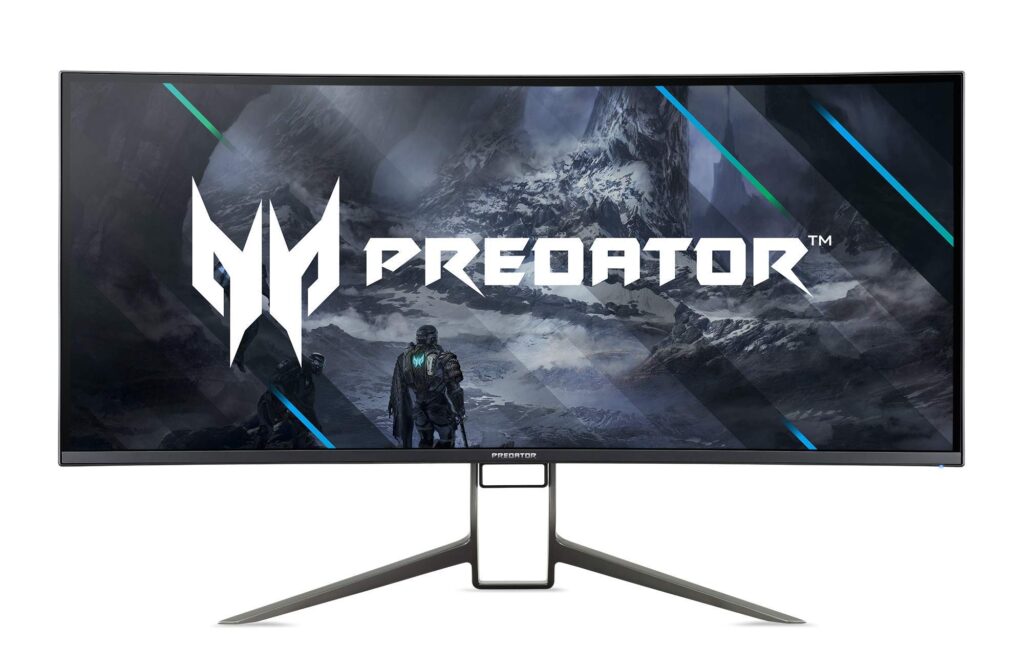
The Acer Predator X34 is an outstanding curved monitor that will make gaming and productivity a breeze.
Its 34-inch ultrawide display offers crisp and vivid visuals that will bring your content to life. The 21:9 aspect ratio provides plenty of real estate for multitasking or fully immersing yourself in a game.
The curved design adds a special touch, making you feel connected to the action on the screen like never before. The 1900R’s curvature is slightly more subtle than other curved monitors on the market. But it still noticeably enhances your viewing experience.
A 144 Hz refresh rate makes gaming smooth and effortless, especially if you have a powerful graphics card. Plus, it supports NVIDIA G-Sync, which reduces screen tearing and stuttering.
Tastefully designed with its thin bezel, and sturdy stand that allows for tilt, swivel, and height adjustment, this monitor comes complete with built-in speakers. This monitor is perfect for those who don’t want to invest in extra speakers!
Samsung Odyssey OLED G9 (G95SD): Best Top-tier Monitor
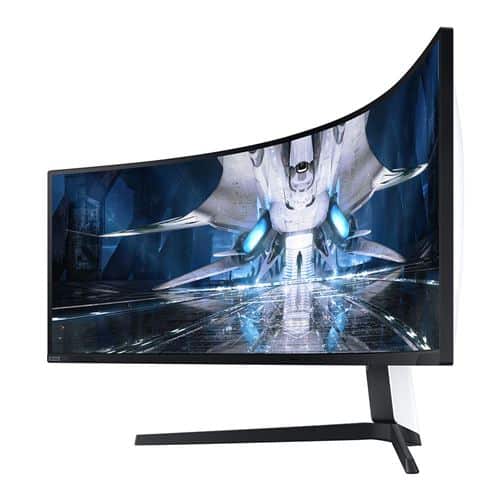
The Samsung Odyssey OLED G9 (G95SD) is the super-ultrawide we dream about. It packs a 49″ QD-OLED screen with a 32:9 aspect ratio and a 5120 x 1440 DQHD resolution, so it is literally two 27-inch 1440p monitors fused into one seamless curved panel.
Where the old mini-LED Neo G9 juggled dimming zones, this one controls light per pixel. Blacks are perfect, HDR highlights leap off the screen, and dark scenes on stream keep every bit of their atmosphere.
It is fast, too. You get a 240Hz refresh rate and a 0.03ms response time, so motion stays crisp even when the action gets frantic. FreeSync Premium Pro and G-SYNC compatibility keep everything tear-free.
Samsung also gave this panel a glare-free finish, which is a huge win for streamers with ring lights and RGB all over the room. Reflections just do not show up the way they do on glossy OLEDs.
For streaming, the 32:9 layout is a superpower. Run your game on one half and OBS, chat, and alerts on the other, all on a single display with zero bezel splitting your view.
At ~$1,100-1,300 it is a serious investment, and you will want a beefy GPU to push that resolution at high frame rates. But if you want the most impressive curved display money can buy right now, this is it.
Dell S3222DGM: Best Budget Curved Gaming Monitor For Streamers
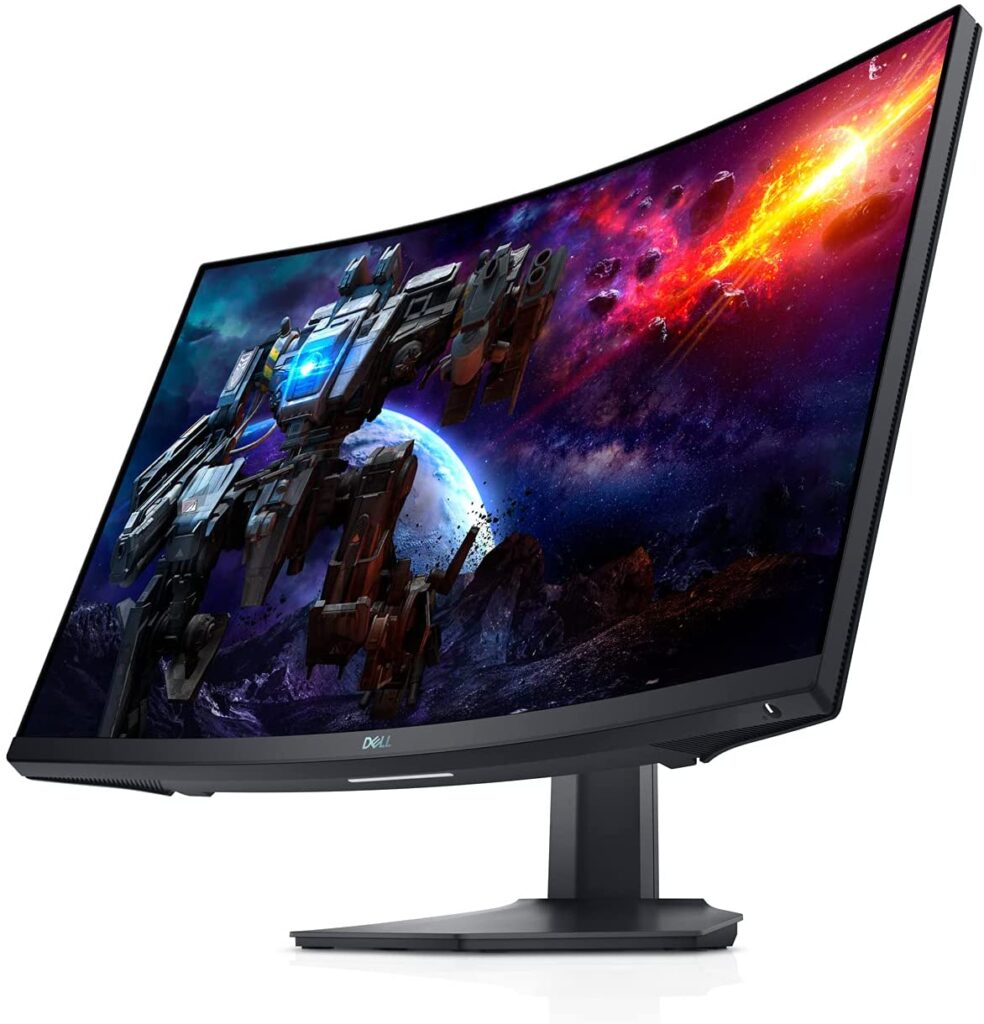
Dell’s S3222DGM budget curved monitor is an excellent option for any streamer looking to upgrade their setup on the cheap.
It boasts a 32-inch screen size and 2560×1440 resolution with a refresh rate of up to 165 Hz. That gives users an immersive viewing experience that can make gaming and stream more enjoyable.
The 2x HDMI 2.0 and 1x DisplayPort 1.2 inputs provide plenty of connectivity options to customize your peripherals accordingly.
The monitor also features AMD FreeSync technology for a smooth, tear-free gaming experience.
The S3222DGM has a 3000:1 contrast ratio. That enhances sharpness and accurate color representation while watching videos or playing games.
Furthermore, it comes with a 2 ms response time (GTG). That allows images to remain crisp even when rapidly moving across the screen.
With its 1800mm wide viewing angle, users will always notice important details, even if they move around as they game or stream.
Overall, the Dell S3222DGM budget curved monitor provides excellent value at a fair price point with its expansive screen size and decent image quality.
For those seeking an affordable yet full-featured curved gaming monitor that can help elevate their gaming or streaming experience, look no further than Dell’s S3222DGM budget curved monitor!
AOC CU34G2X: The Best Bang For Buck
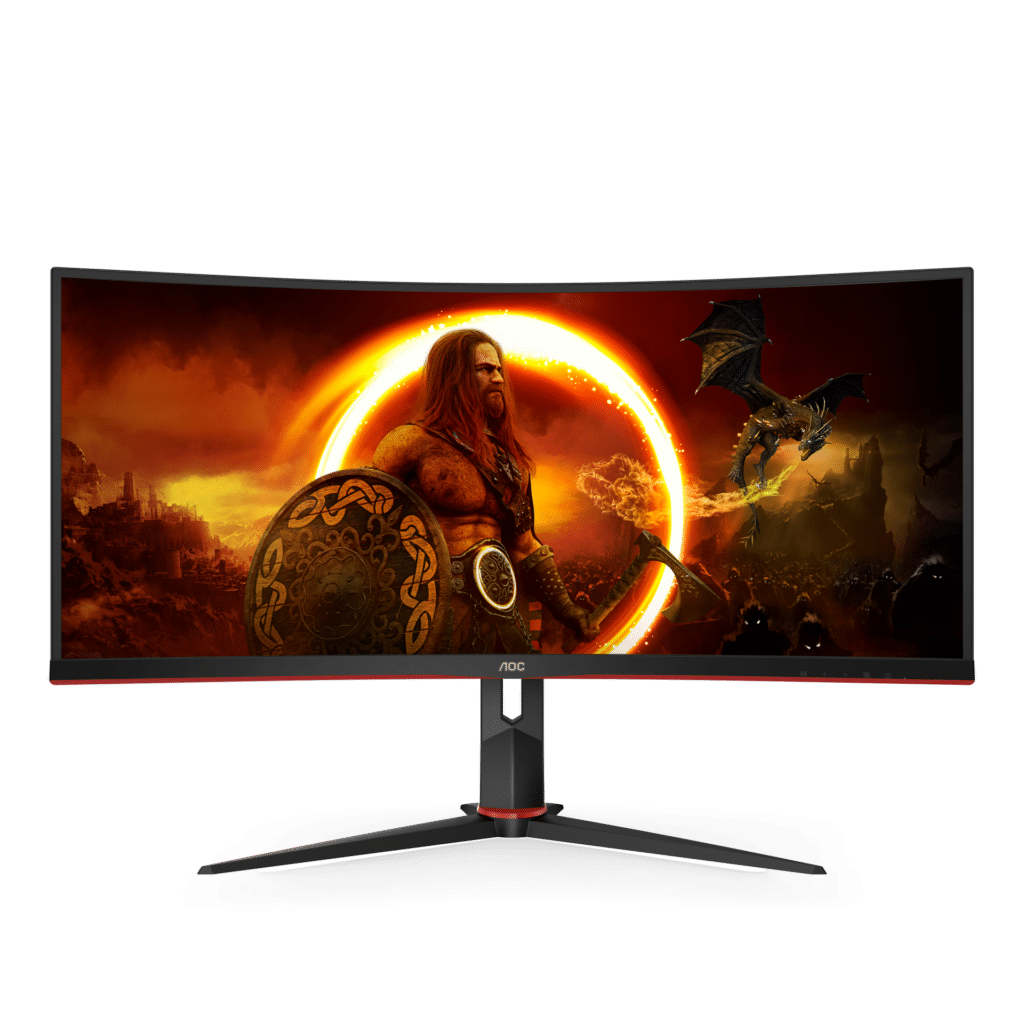
The AOC CU34G2X budget curved monitor is an exceptional choice for gamers and streamers looking for a higher-end display in a more affordable package.
It offers a 34-inch QHD VA panel with a 1500R curvature and a 1ms response time (GTG). That means, it’s perfect for a mesmerizing gaming experience. While it may not have the picture quality of higher-end monitors like the Dell Alienware AW3423DW, it still delivers excellent performance with its 144Hz refresh rate and FreeSync compatibility for reduced screen tearing.
The monitor has low input lag that remains consistent, even at different frame rates. As far as design goes, the AOC CU34G2XA has slim bezels on all sides, creating an attractive borderless design.
The monitor features a 2x HDMI 2.0 port, 2x DisplayPort 1.2 ports, and a 3.5mm headphone output. That means you have the full spectrum of options with connectivity. The monitor features a 2x HDMI 2.0 port, 2x DisplayPort 1.2 ports, and a 3.5mm headphone output. That means you have a bunch of options when it comes to connectivity.
Overall, the AOC CU34G2X is an excellent buy if you’re looking for a feature-rich display on a budget, offering vibrant colors and smooth gameplay without any input lag or screen tearing.
With so much value in this single purchase, this monitor is ideal for anyone wanting to upgrade their gaming/streaming setup without spending too much money.
MSI MAG 345CQR: The Jack Of All Trades
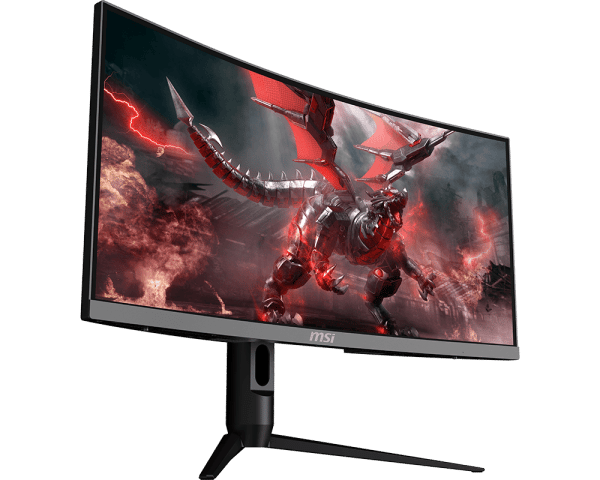
The MSI MAG 345CQR is the do-everything ultrawide we point our friends to when they want the big curved-screen experience without a big price tag. It gives you a 34″ 3440×1440 UWQHD panel with an aggressive 1500R curve that fills your vision and pulls you into the game.
Performance is way beyond what the price suggests. You get a 180Hz refresh rate and a 1ms response time, so fast games feel snappy and your gameplay footage looks smooth on stream.
AMD FreeSync Premium keeps everything tear-free on PC, and there is even a dedicated console VRR mode, so you can plug in a PS5 or Xbox and still get smooth, synced gameplay.
The VA panel brings the deep contrast we love for dark, moody games, and the colors are punchy right out of the box. Viewers watching your stream get a rich picture without you touching a single setting.
The extra desktop space is a genuine streaming perk too. That wide 21:9 canvas fits your game plus chat and OBS on one screen, which is a huge quality-of-life boost for solo streamers.
At ~$260-300, this monitor covers gaming, streaming, and everyday work without breaking a sweat. That mix of size, speed, and price makes it the true jack of all trades on this list!
MSI MAG 341CQP QD-OLED: The Value OLED Pick
New for our 2026 refresh: the MSI MAG 341CQP QD-OLED is the pick we added for everyone who wants OLED picture quality without paying flagship money. It slots perfectly between our budget VA picks and the Alienware up top.
You get a 34-inch 3440×1440 QD-OLED panel with an 1800R curve, the same core recipe as monitors that cost hundreds more. Blacks are perfect, colors are gorgeous, and the True Black HDR 400 certification means dark scenes on stream look genuinely cinematic.
Speed is covered too. The 175Hz refresh rate and 0.03ms response time keep fast games looking crisp, with none of the smearing you get from budget VA panels.
We also love the USB-C port. You can run a laptop into it or tidy up your battlestation cabling, which is handy when your desk is already crowded with stream gear.
The best part is the price. It lists at ~$680-800 and regularly drops to around ~$679 on sale, which makes it the cheapest way onto a proper QD-OLED ultrawide that we can recommend with a straight face.
If your budget stops short of the AW3425DW but you refuse to settle for LCD contrast, this is your monitor. Mid-budget streamers, this one is for you!
What To Look For In A Curved Gaming Monitor For Streamers
When choosing the best-curved gaming monitor for streaming, key factors to consider are resolution, refresh rate, and response time. Below, we’ll discuss each in detail.
Resolution
When it comes to displays, the resolution is an important factor to consider. Resolution refers to the number of pixels found in each dimension. To explain this concept, let’s look at a resolution of 1920 x 1080. This particular setup allows for 1920 pixels across its width and 1080 down its height. That results in a total of 2,073,600 pixels on the screen.
Although you might assume that investing in powerful GPUs for higher-resolution monitors would be too expensive, these investments often have multiple bonuses.
High-resolution monitors have more pixel content than lower-resolution ones, giving you greater clarity and detail when viewing content. This can drastically improve your viewing experience.
Streamers, in particular, can benefit from this upgrade, as high-resolution visuals offer viewers a more engaging experience than their low-resolution counterparts.
Refresh Rate
Refresh rates in gaming have grown immensely in recent years. We’re seeing monitors push out 144Hz, 240Hz, and even 360Hz+, plus a range of refresh rates between these.
A high refresh rate alone won’t necessarily give you an edge, but it can provide more visual information processed per second – which is crucial for competitive gamers.
What’s important to gain a real advantage from the high refresh rate is that there be a high frame rate for an improved ‘connected feel.’ This gives precision and fluidity when interacting with the game and low input lag for a latency-free experience.
Also, the combination of a high refresh rate and high frame rate decreases blur. Competitive gamers will really appreciate that, but so too can casual gamers get something out of it.
All that translates to better gameplay and, with it, a better experience for your audience.
HDR (High Dynamic Range)
HDR can provide great performance with vibrant colors when used correctly. HDR10 is the most common format supported by monitors, but it only defines the boundaries of a wide range of HDR hardware capabilities.
This requires 10-bit color (1.07 billion colors) processing, which can be done entirely on the monitor or with GPU dithering for more accurate results. This increases the varied shade levels compared to 8-bit (16.7 million colors) seen in SDRs and allows better use of wider color gamuts associated with HDR.
HDR10 has a long-term goal set to Rec. 2020 (BT.2020) for its huge gamut size, though near-term targets are still based on DCI-P3, which developers use.
VESA’s DisplayHDR certification offers a further refinement of this by setting criteria like peak luminance and local dimming requirements, which are tailored to specific levels: 400 cd/m², 600 cd/m², 1000 cd/m² and 1400 cd/m² respectively. Increasing brightness and accuracy as you move up levels.
FALD technology using hundreds or even thousands of tiny LEDs offers some of the best results possible here since they allow intricate patterns of bright and dark areas to stand out. That’s something necessary to fully experience the true potential of HDR visuals.
All these best curved gaming monitors for streamers have decent to top-tier HDR levels. Choose anyone according to your budget.
If, as a streamer, you edit your videos yourself, we recommend going with higher HDR levels to ensure better color accuracy for your YouTube videos.
Strobe Backlights For Motion Clarity
To minimize motion blur, many monitors now feature a backlight (or self-emissive pixels for displays) that pulses to match the monitor’s refresh rate.
Manufacturers have coined various names for this technology, such as Aim Stabilizer from Gigabyte, ULMB from Nvidia, ELMB from ASUS, and Blur Reduction from BenQ. Monitors with this feature usually list an MPRT (Moving Picture Response Time) measurement in addition to a traditional GtG or G2G (grey to grey).
While these settings may not be appreciated by everyone, they can be essential for competitive gamers or those looking for the highest level of motion clarity.
Activating these settings often come with compromises, though, such as limited brightness adjustment, flashes and fringes, strong overshoot, strobing crosstalk (‘double images’), and flickering.
In most monitors, activating these settings also disables any VRR (variable refresh rate) capability. Some models allow you to use both features at once, but none of them provide a solid experience combining strobe backlighting with VRR enabled.
Strong Contrast
Having blacker blacks and darker dark shades can provide a more atmospheric look too dark scenes in games. They can give extra “pop” to bright elements set against darker backgrounds while improving shadow definition and providing a clearer 3D structure to the scene.
It can even create a more solid or ‘inky’ appearance for medium shades, which is reflected in the game, even under daylight conditions.
When it comes to the best curved gaming monitors for streamers, VA models have the strongest contrast performance, typically with static contrast ratios of around 3000:1.
While OLED backlight less technology offers superior contrast performance, it is still far from mainstream. Luminance control, such as local dimming with a good number of dimming zones, can also help boost contrast efficiency.
There are nuances to take into account on LCD panels, such as IPS glow and VA glow, that could interfere with dark scenes in-game by eating away at details and atmosphere when viewed from certain angles and positions.
This tends to be less noticeable under brighter lighting conditions, but ambient lighting behind the monitor or LED strip lighting is still recommended for maximum effect.
Gamma consistency is also important when looking for detail levels in dark scenes. IPS models offer the strongest gamma consistency, TN models tend to suffer from top-to-bottom gamma shifts, and VA models usually suffer from a black crush, where dark shades blend too easily.
Wrapping Up: The Best Curved Gaming Monitors For Streamers
We have scoured the market and compiled this list of the best curved monitors that cater to all your needs, be it high refresh rates, impressive aspect ratios, lightning-fast response times, or even budget-friendly options that still pack a punch.
Picture this – streaming your favorite game on a monitor that boasts seamless motion and no screen tearing, providing an immersive gaming experience like no other.
The curvature of the monitor draws you into the game, transporting you into another world entirely.
The top-tier refresh rates ensure that every action is buttery smooth, without any lag or delays, while the impressive aspect ratios make for a more immersive experience.
But what if you are on a budget? No need to worry! We have included affordable options that don’t compromise on quality.
As for the best curved gaming monitor for streamers, the Alienware AW3425DW QD-OLED is our top choice.
That’s all, folks!