The 7 Best Gaming Monitors for Streaming (2026)
Updated July 2026: refreshed our picks for the current hardware generation.
As a VTuber, you might already know that there aren’t many online buying guides to inform you about all the gadgets and software you need for VTubing. That’s where we come in, and today we’ll help you pick the best monitors for gaming VTubers.
-> Just incase you don’t want to read any further and just want to know what our top pick is, see the Alienware AW3425DW 34 QD-OLED which we feel is the 🥇 Best Monitor for Gaming VTubers.
VTubers have unique problems that require unique solutions. One of those problems is having the VTuber software show up on the screen every time you have to use an expression or play an animation during the stream. The solution to that problem is to have two gaming monitors.
That way, you’ll be able to play games while streaming and using your expressions or whatnot without the VTuber software interrupting your gaming experience. Even if you aren’t playing games while streaming, having your VTuber software pop up whenever you make an expression doesn’t look cool. That’s why the solution is, as I said before, two monitors.
I wouldn’t recommend going for the high-end options for both monitors, even if you have the budget. Rather, I recommend getting one high-end gaming monitor with true HDR and great colors for post-production and gaming, while the second one should be a budget option.
Speaking of gaming, here is what you should remember: the higher the refresh rate and resolution, the better and more immersive gaming experience you’ll get. On the other hand, the response time and input lag should be as low as possible. The input lag represents the time between pressing a key on your mouse or keyboard and the action appearing on your screen.
With all that out of the way, we’ll get to the topic at hand. We’ll list down the 7 best monitors for gaming VTubers and explain why each one of them deserves a spot on our list. These monitors include curved, 4K, budget, and high refresh rate options, so there’s something for everyone. So, let’s get to it!
Table of contents
- The 8 Best Monitors For Gaming VTubers
- Our Picks
- Alienware AW3425DW 34 QD-OLED: The Best Monitor For Gaming VTubers
- LG UltraGear 27GR93U: The Best 4K Gaming Monitor
- BenQ Zowie XL2566X+: The Best Gaming Monitor For Esports Streamers & VTubers
- AOC 24G4 The Best Budget Gaming Monitor For VTubers & Gamers
- ASUS ROG Strix XG27AQDMG: The Best 1440p Gaming Monitor
- ASUS TUF Gaming VG27AQ3A: The Best Budget 1440p Gaming Monitor
- SAMSUNG Odyssey G65B : The Best Budget Curved Monitor
- MSI MPG 272URX: The Best Premium 4K OLED Monitor
- What Should Gamers & VTubers Look For In A Gaming Monitor?
- Wrapping It Up
The 8 Best Monitors For Gaming VTubers
Our Picks
- Alienware AW3425DW 34 QD-OLED 🥇 Best Overall (True HDR)
- LG UltraGear 27GR93U 🥈 Best 4K Gaming Monitor
- BenQ Zowie XL2566X+ 🥉 Best Esports Gaming Monitor
- AOC 24G4 🎖️ Best Budget Gaming Monitor
- ASUS ROG Strix XG27AQDMG 🎖️ Best 1440p Gaming Monitor
- ASUS TUF Gaming VG27AQ3A 🎖️ Best Budget 1440p Gaming Monitor
- SAMSUNG Odyssey G65B 🎖️ Best Budget Curved Monitor
- MSI MPG 272URX 🎖️ Best Premium 4K OLED Monitor
Alienware AW3425DW 34 QD-OLED: The Best Monitor For Gaming VTubers
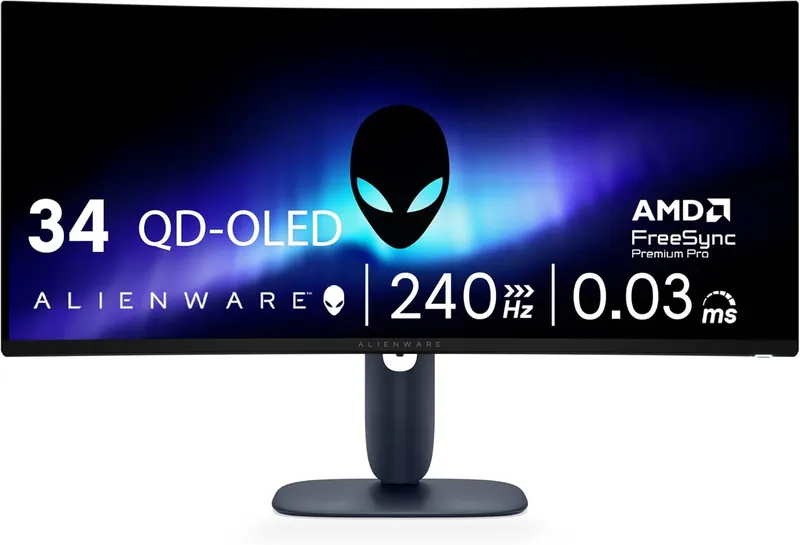
The Alienware AW3425DW is the direct successor to the AW3423DW, the monitor that kicked off the whole QD-OLED era, and it improves on that legend in every way that matters. It’s still a 34″ 3440 x 1440 curved QD-OLED, but the refresh rate jumps from 175hz all the way to 240hz, and the response time is a ridiculous 0.03 ms. Once you see motion this clean, going back to a regular LCD feels wrong.
This monitor uses Samsung’s latest QD-OLED panel and has superiority in areas like brightness, efficiency, and burn-in resistance over the older generations. For creators, VTubers, and gamers, it means that the colors will be more accurate during gaming, streaming, and post-production, and Dell backs the panel with a burn-in warranty for extra peace of mind.
The AW3425DW is geared toward HDR gaming. It’s VESA DisplayHDR True Black 400 certified, which, unlike the regular “HDR 400” certification, isn’t complete trash. Per-pixel OLED lighting means perfect blacks and highlights that genuinely pop in games and in your edited clips.
Here’s my favorite upgrade over the old model: Dell dropped the dedicated G-Sync hardware module in favor of VESA AdaptiveSync, which plays nice with both Nvidia and AMD GPUs. That module was the reason the AW3423DW had a cooling fan you could hear on a quiet stream. The AW3425DW is dead silent, which your microphone will thank you for.
The best part? At $749.99 it sells for less than the original AW3423DW launched at. You’re getting more refresh rate, a quieter monitor, and a newer panel for less money. You won’t find better image quality and true HDR at this price point, period.
The build quality on this beast is as good as it gets, with tight seams and that premium Alienware look. The 1800R curvature is pretty standard for an ultra-wide and doesn’t distort the image as much as most ultra-wide curved monitors do.
Why Do We Like The Alienware AW3425DW For Gaming VTubers?
The Alienware AW3425DW is a top-tier gaming monitor that packs the best specs in the market. And the more important thing is that it delivers on those specs. It’s easily the best HDR gaming monitor you can get right now at the best price-to-performance ratio.
As a gaming VTuber, you’ll have a great immersive experience while playing games on this ultrawide monitor at 240hz. If you publish your clips on YouTube or TikTok, this monitor is a must for its post-production capabilities. You’ll be able to see the color accuracy as you’ve never seen it before!
LG UltraGear 27GR93U: The Best 4K Gaming Monitor
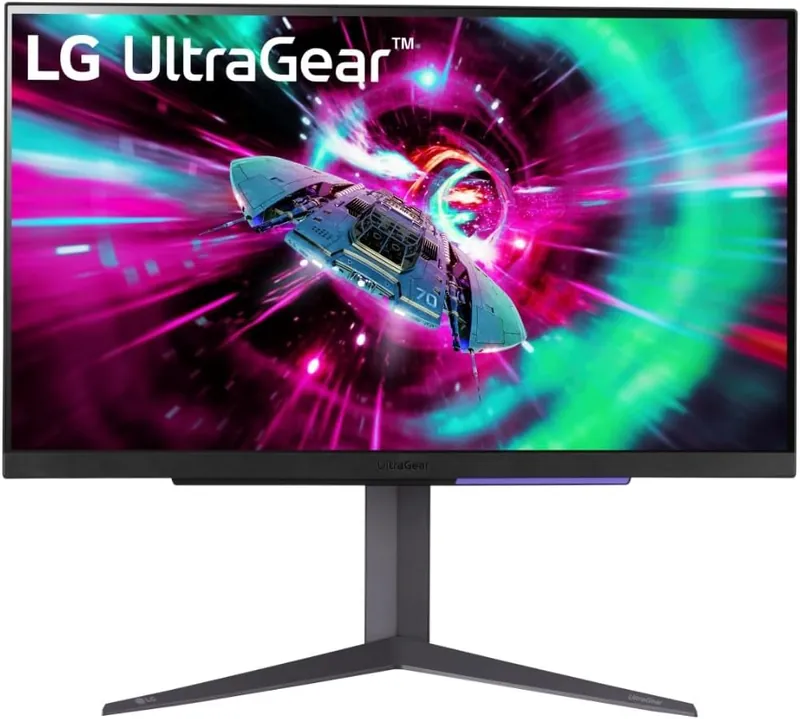
The LG UltraGear 27GR93U is the follow-up to the much-loved 27GN950, and it keeps everything we recommended about that monitor: a 27″ 4K Nano IPS panel running at 144hz with a 1 ms gray-to-gray response time. Sharp, fast, and color-rich, exactly what you want for a main VTubing display.
The big fix over the old model is HDMI 2.1. The 27GN950’s one real weakness was that its full 4K high-refresh experience was DisplayPort-only. The 27GR93U handles 4K 120hz+ over HDMI too, so you can plug in a PS5 or Xbox Series X next to your PC and every input runs the way it should.
It’s reasonably priced at $399 considering its functionality, resolution, and refresh rate. The slim bezels and clean front give it a great look on camera if your setup ever appears on stream, and the color gamut coverage makes it a legitimate editing display, not just a gaming one.
A great thing about this monitor is that you can get the 4K 144hz experience over a single cable thanks to DSC, which is not the case with many of its competitors. Any modern GPU handles that without drama.
The response time held up in our use. Enable overdrive in its settings to take full advantage of it, and motion stays clean even in fast shooters, which helps it make it to our list of best gaming monitors for VTubers.
Why Do We Like The LG UltraGear 27GR93U For Gaming VTubers?
Overall, the LG UltraGear 27GR93U is the best 4K 144hz monitor for the money. You get the sharpness of 4K for reading chat, editing your clips, and enjoying single-player showpieces, plus a refresh rate high enough that competitive games still feel responsive. Very few monitors pull off both sides this well at this price.
The LG UltraGear 27GR93U is the ultimate display if you want the top-end 4K gaming and streaming/VTubing experience without paying OLED prices. Just make sure you’ve got the GPU horsepower under the hood to support it.
BenQ Zowie XL2566X+: The Best Gaming Monitor For Esports Streamers & VTubers
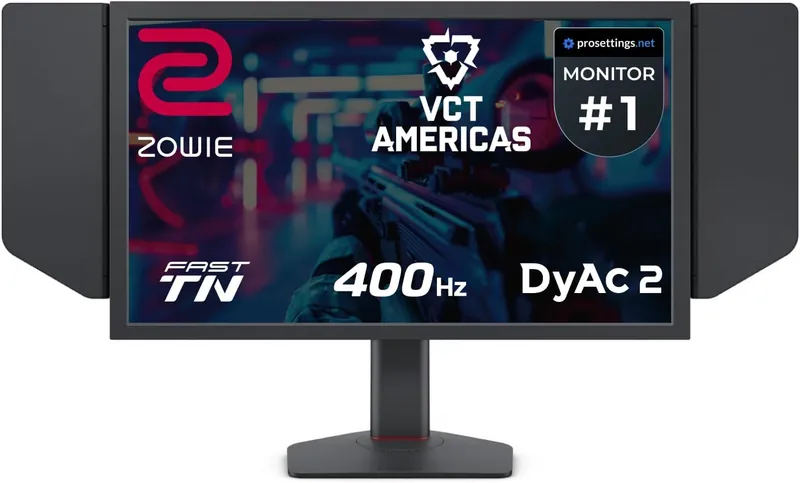
For streamers and VTubers into esports titles such as CS2 and Valorant, the BenQ Zowie XL2566X+ is the monitor. This is the display you’ll spot on stage at pro tournaments, and for good reason: it’s a 24.1″ panel running at a wild 400hz. If your whole brand is built around cracked aim, this is the tool for the job.
Such a high refresh rate means you’ll enjoy an ultra-smooth gaming experience with an extremely fast response time and very little input lag. On top of that, BenQ’s DyAc2 backlight strobing tech keeps the image crisp during flicks and spray transfers, so you can actually track heads mid-spray instead of guessing through motion blur.
The resolution on the XL2566X+ is 1080p. That’s not high by modern standards, but for esports it’s exactly right. Competitive players lower their settings and resolution to squeeze out every last frame anyway, and 1080p is what lets this panel hit 400 fps territory in CS2 and Valorant on a strong PC.
Zowie’s quality-of-life touches are great for streamers too. The S-Switch puck lets you swap between saved settings profiles instantly, and the included shield panels block glare from your key light or window. The stand is compact and marks your exact height and tilt settings, which makes it painless to restore your setup after moving things around for a camera shot.
At $649.99 it’s an investment, and to be clear, you’re paying for speed, not color. It’s a TN panel, so don’t plan on doing your thumbnail color grading here. This is a second-monitor specialist that does one thing better than anything else we’ve tested.
Why Do We Like The BenQ Zowie XL2566X+ For Gaming VTubers?
The VTubers playing games like Valorant and CS2 during their streams can leverage this monitor’s ultrafast refresh rate. The 400hz display means that you’ll be able to see your enemy much quicker and more smoothly than they could see you.
The low input lag and DyAc2’s little-to-no ghosting mean that you’ll be popping heads during your streams, impressing your audience with your in-game performance.
Pair it with something color-accurate like the Alienware AW3425DW or the LG UltraGear 27GR93U for your editing and stream-management screen, and you’ve got a setup that covers both the frag clips and the post-production.
AOC 24G4 The Best Budget Gaming Monitor For VTubers & Gamers
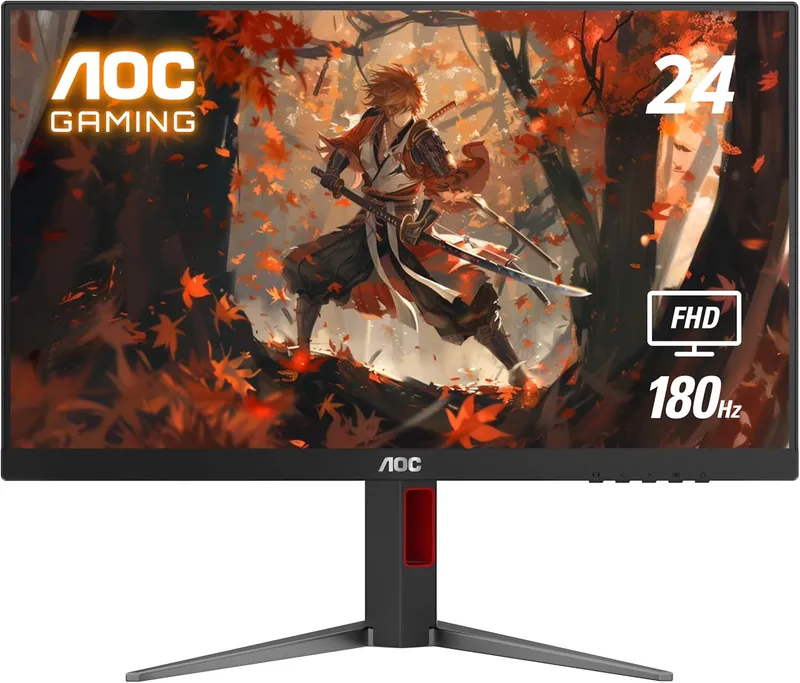
The AOC 24G4 is the successor to the 24G2 and 24G2SP, the monitors we’ve been recommending to family and friends for years, and it carries the torch beautifully. For $109.99 you get a 24″ 1080p Fast IPS panel at 180hz. Read that again: 180hz IPS for about a hundred bucks. Budget gaming monitors have never had it this good.
The refresh rate bump from the 24G2SP’s 165hz to 180hz comes with Adaptive Sync for tear-free gaming, and AOC even threw in HDR10 support at this price. The image quality out of the box is genuinely impressive, with a wide color gamut that puts plenty of pricier monitors to shame.
There’s nothing over-the-top premium about the build quality of this monitor, and that’s exactly the point. AOC skipped the RGB lights and other fluff and put the money where it counts: the panel. It’s well-built, the bezels are slim, and it looks way more expensive than it is.
AOC’s Zero-Bright-Dot policy on this line is a nice bonus too. If you get a bright stuck pixel within the warranty period, that’s a replacement, which is not the kind of coverage we’re used to seeing at the bottom of the price ladder.
Why Do We Like The AOC 24G4 For Gaming VTubers?
If you are a gaming VTuber, get this as your secondary monitor. Don’t get me wrong, though. It will work absolutely fine as your main monitor. If you are on a tight budget, getting this monitor won’t break the bank, and you’ll get the best value for your money.
Remember that whole two-monitor setup we talked about at the start? The 24G4 is the perfect second screen for your VTuber software, chat, and OBS while your main display handles the game. At $109.99 it’s the cheapest way to solve the biggest workflow problem in VTubing.
ASUS ROG Strix XG27AQDMG: The Best 1440p Gaming Monitor
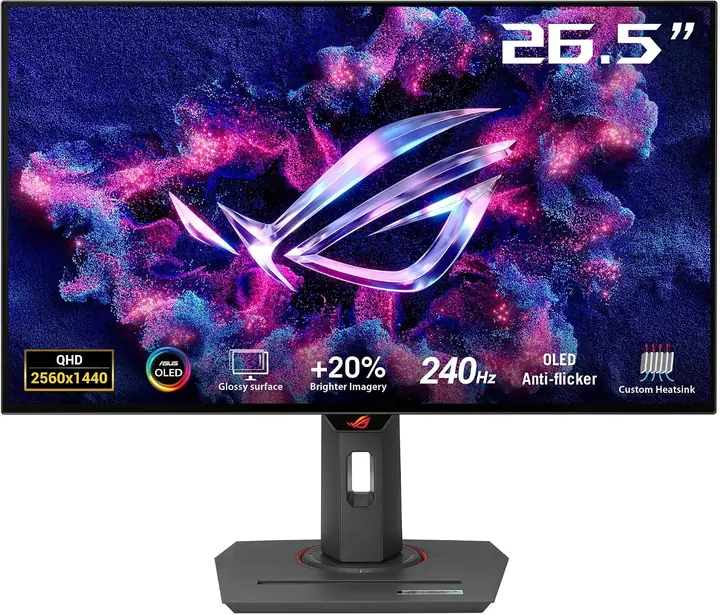
The best 1440p monitor in 2026 isn’t an IPS panel anymore, it’s OLED, and the ASUS ROG Strix XG27AQDMG is the one to get. This is a 27″ 1440p OLED running at 240hz with a 0.03 ms response time. ASUS went with a glossy finish on this panel, and the difference is dramatic: colors look deeper and more vivid than on any matte-coated monitor we’ve used.
Motion clarity at 240hz on an OLED is on another level compared to the fast IPS monitors that used to own this category. There’s no overdrive setting to fiddle with and no overshoot to worry about, because the pixels just switch instantly. Every game feels smoother, from fast shooters to cozy stream games.
Let’s say you are looking for a single monitor for your setup that can offer the least amount of compromise for the most amount of things like single-player gaming, competitive gaming, video editing, and normal day-to-day work. In that case, you can’t get anything better than the XG27AQDMG at this price. At $569.90 it undercuts most of the 1440p OLED competition while looking better than monitors that cost more.
HDR is the real deal here too. Per-pixel lighting gives you perfect blacks and bright highlights that IPS panels physically can’t produce, which makes your gameplay clips and your color grading noticeably better. ASUS also packs in OLED care features that run in the background to keep the panel healthy long-term.
Why Do We Like The ASUS ROG Strix XG27AQDMG For Gamers & VTubers?
If you are a VTuber or a gamer looking for a jack-of-all-trades kind of monitor, ASUS has the best 1440p monitor in store for you. It offers gorgeous colors for video editing, an instant response time, a 240hz refresh rate, and true HDR, making it the king of 1440p monitors.
One VTuber-specific tip: since streaming layouts involve static overlays for hours at a time, use the built-in pixel care features and hide static UI elements when you can. Do that, and this OLED will treat you to the best-looking 1440p image money can buy right now.
ASUS TUF Gaming VG27AQ3A: The Best Budget 1440p Gaming Monitor
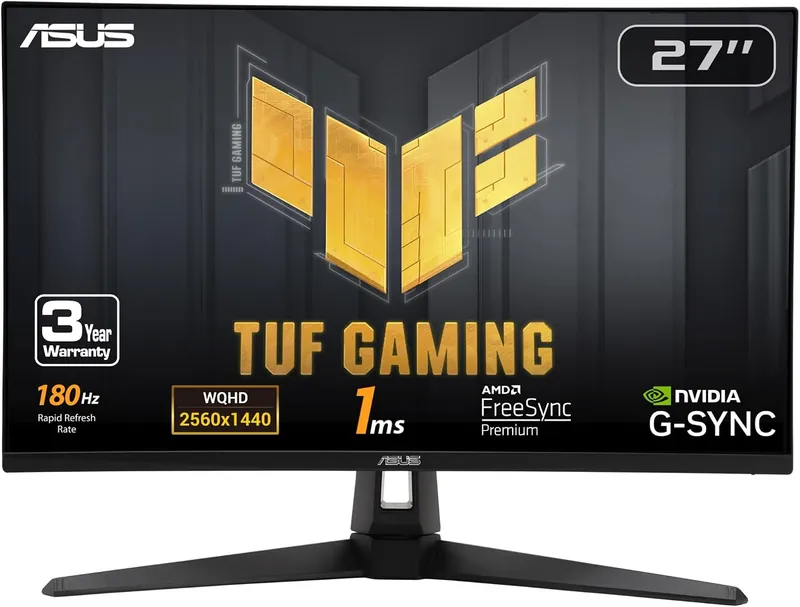
If you want to enjoy a high-refresh-rate 1440p gaming experience but don’t want to put a dent in your wallet, I’ve got the perfect gaming monitor for you. The ASUS TUF Gaming VG27AQ3A is a 27″ 1440p Fast IPS monitor with a 180hz refresh rate, the direct successor to the VG27AQ1A we recommended before. Whether you’re upgrading from an old 1080p monitor or you want a stop-gap on your way to saving up for an OLED, this monitor has got you covered.
Some of us don’t really have the use case for all the high-end features that some of the monitors on this list offer. If this feels familiar, you should choose the VG27AQ3A as your daily driver. At $209 there are no better 1440p monitors available in this price range, it’s as simple as that.
The panel covers 130 percent of the sRGB color space, so your stream and your edited clips look punchy without extra calibration work. FreeSync Premium keeps gameplay tear-free on both AMD and Nvidia cards, and the Fast IPS panel keeps ghosting to a minimum. The screen isn’t the brightest, but that’s expected with monitors at this price point, and the fast response time and low latency more than make up for it.
Why Do We Like The ASUS TUF Gaming VG27AQ3A For Gamers & VTubers?
If you are a VTuber who’s looking for an all-in-one monitor, and that too at a budget-friendly price point, you should definitely consider the ASUS TUF Gaming VG27AQ3A. It offers 1440p resolution at a 180hz refresh rate with vibrant colors and a fast response time, making it a perfect choice for budget shoppers.
SAMSUNG Odyssey G65B : The Best Budget Curved Monitor
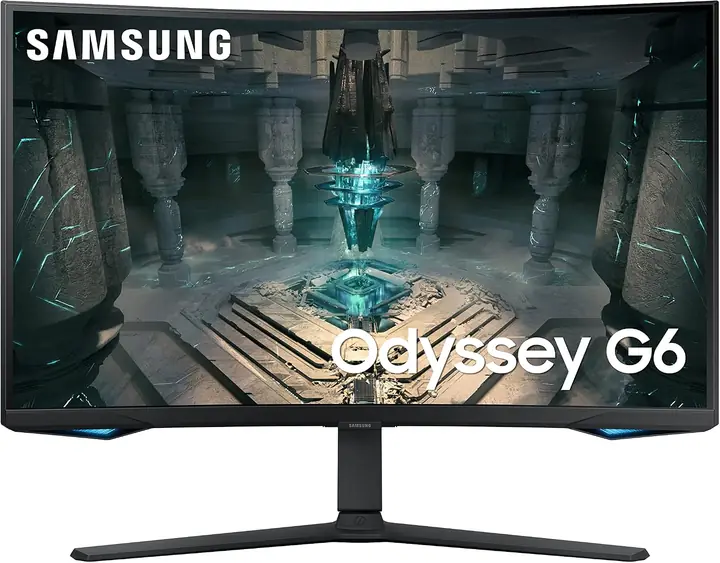
The Samsung Odyssey G65B is the current version of the Odyssey formula that made the original G7 famous, and it delivers the same thrills for less money. It’s a 32″ 1440p VA monitor running at 240hz with Samsung’s signature 1000R curvature. That deep curve wraps the image around your vision, and at $529.99 it costs less than the old G7 ever did.
You’ll want to keep a reasonable distance between you and the monitor to get the most comfortable view of that 1000R curve. It’s an aggressive curvature, and while I find it a bit much for flat design work, for pure gaming immersion it’s genuinely fun. Racing games and flight games in particular feel incredible on it.
The area where this monitor really shines is contrast. VA panels put IPS to shame on black levels, and Samsung’s Odyssey line proved VA can be fast too. At 240hz with a rapid response time for the panel type, motion stays clean where older VA monitors used to smear.
The HDR 600 functionality is a real step above the generic HDR 400 sticker most of the competition slaps on at this price. Combined with the VA contrast, HDR games actually look like HDR here, which is rare below the OLED price tier.
So, who should buy this monitor? Well, if you are a fan of curved 1440p monitors, then you are going to love this one. It’s the most monitor-per-dollar in the curved category right now, and it’s still sold new in Samsung’s current lineup, so you’re not gambling on old stock.
Why Do We Like The SAMSUNG Odyssey G65B For Gamers & VTubers?
If, as a gamer and a VTuber, you are looking for the best high-end curved gaming monitor on a budget, the Samsung Odyssey G65B checks all the right boxes. Although I personally wouldn’t use a monitor this curved for video editing due to the distortion on straight lines, plenty of people prefer the wrap-around feel for everything.
Those are the people Samsung aims to target with the Odyssey G65B. If you are one of them, you should consider this best gaming monitor for VTubers.
MSI MPG 272URX: The Best Premium 4K OLED Monitor
New for this year’s update, we’re adding the monitor category that simply didn’t exist when we first wrote this guide: 27″ 4K 240hz QD-OLED. The MSI MPG 272URX is the leader of that pack, and it’s the closest thing to a no-compromise VTuber monitor we’ve ever tested. 4K sharpness, 240hz smoothness, OLED blacks, and QD-OLED color volume, all in one panel.
The pixel density at 27″ 4K makes text and UI razor sharp, which matters more than you’d think when you spend hours in editing timelines, OBS scenes, and your VTuber software. And with a 0.03 ms response time, it’s just as at home in a fast shooter as it is on a color grade.
Connectivity is where MSI flexed. DisplayPort 2.1a gives you the bandwidth for 4K 240hz without leaning on compression, and the USB-C port delivers 98W of power. That means you can plug a laptop into this monitor with a single cable and get charging plus the full image quality, perfect if you edit on a laptop and stream from a desktop.
At $899.99 it’s the most expensive monitor on this list, and it demands a serious GPU to shine in games. But if you want one display that covers gaming, streaming, and color-accurate post-production at the highest level available, this is it.
Why Do We Like The MSI MPG 272URX For Gaming VTubers?
Most of us run a two-monitor setup where one screen games and the other works. The MPG 272URX is for the VTuber who wants the main screen to do everything at the highest level: play at 240hz on stream, then cut and grade the highlight reel on the same reference-quality panel afterward.
Pair it with the AOC 24G4 as your side screen for chat and your VTuber software, and you’ve got the strongest streaming battlestation in this entire guide.
What Should Gamers & VTubers Look For In A Gaming Monitor?
You must consider several factors before deciding what monitor is best for gaming VTubers. These factors include:
- Refresh Rate: The refresh rate is the number of times your display draws a new image per second. The higher the refresh rate, the better the monitor is.
- Your FPS: You need to ensure that the number of fps in your favorite game matches the refresh rate you are looking for in a monitor. If your GPU is cranking out more fps than the refresh rate your monitor offers, you are missing out on the potential performance you can have out of your GPU. On the flip side, if your monitor’s refresh rate is higher than your average fps, it’s being bottlenecked by your PC.
- Response time: This represents how long it takes for the pixels on your monitor to change color. The general rule of thumb is the lower the response time, the better your monitor performs. A high response time will result in ghosting. That means you’ll see multiple images of an object in motion due to the pixels not changing colors fast enough. That will give a blurry effect and can be very confusing, especially in the Esports titles.
- HDR: The higher the HDR rating is on a monitor, the better the contrasts between the lighter and darker areas of the in-game scenes.
- Latency/Input lag: This refers to the time it takes between pressing a key on your mouse, keyboard, or any other input device and the action taking place on your monitor. For example, suppose you are playing an online shooter game, and you press the firing key on your mouse. In that case, the time it would take between the actuating of that key and the muzzle flash appearing on the screen is known as input lag or latency. The lower that number is, the better your monitor is.
Wrapping It Up
I hope that you were able to pick the best monitor for VTubers with the help of this article. All the monitors listed here are the best gaming monitors for VTubers in their own way. However, my favorite one is the Alienware AW3425DW 34 QD-OLED because of its true premium HDR experience.
Good luck with your VTubing careers!